Deploying a model
Open Deploy model (Dashboard, Deployments, or the command palette). It needs the admin role.
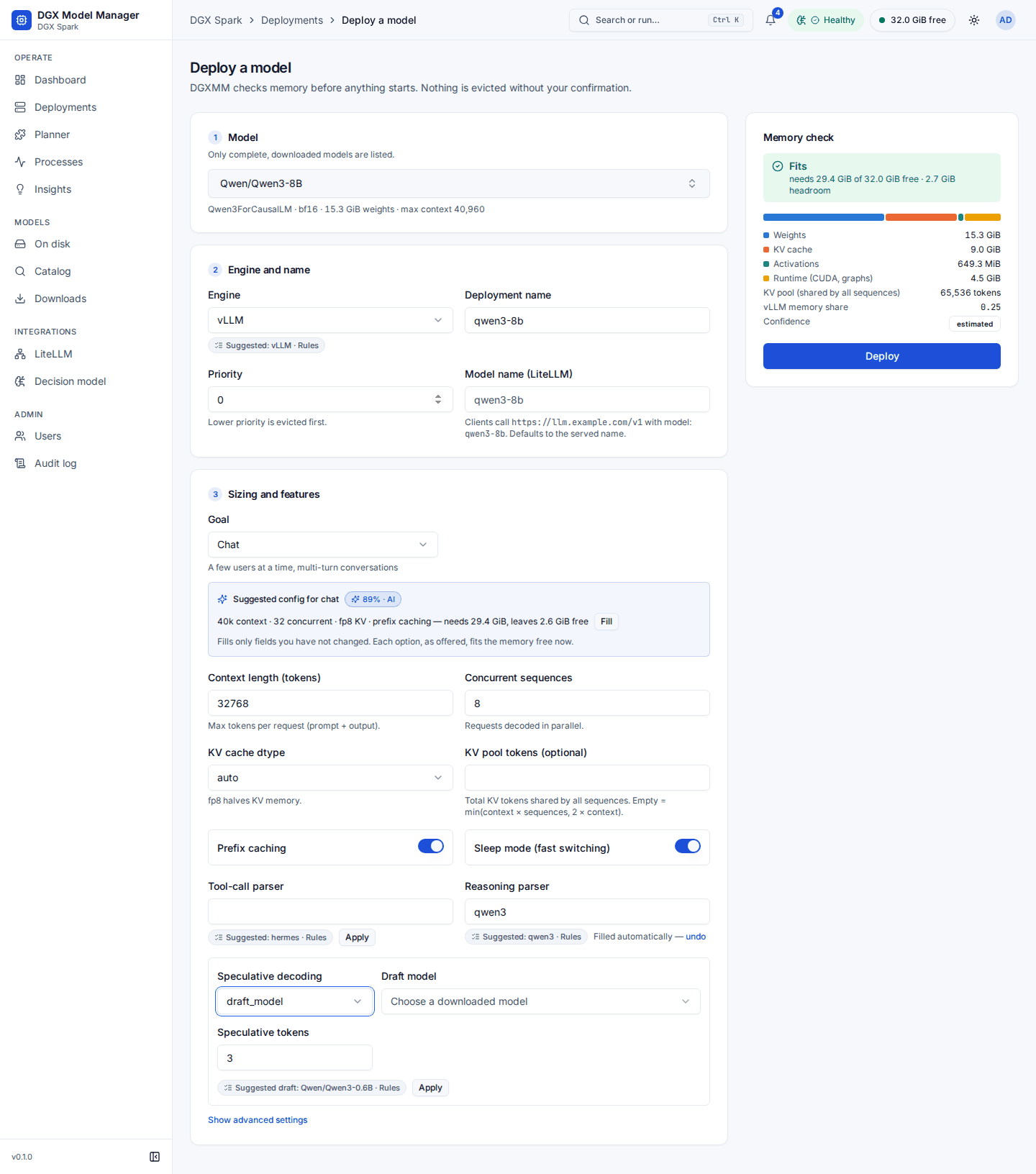
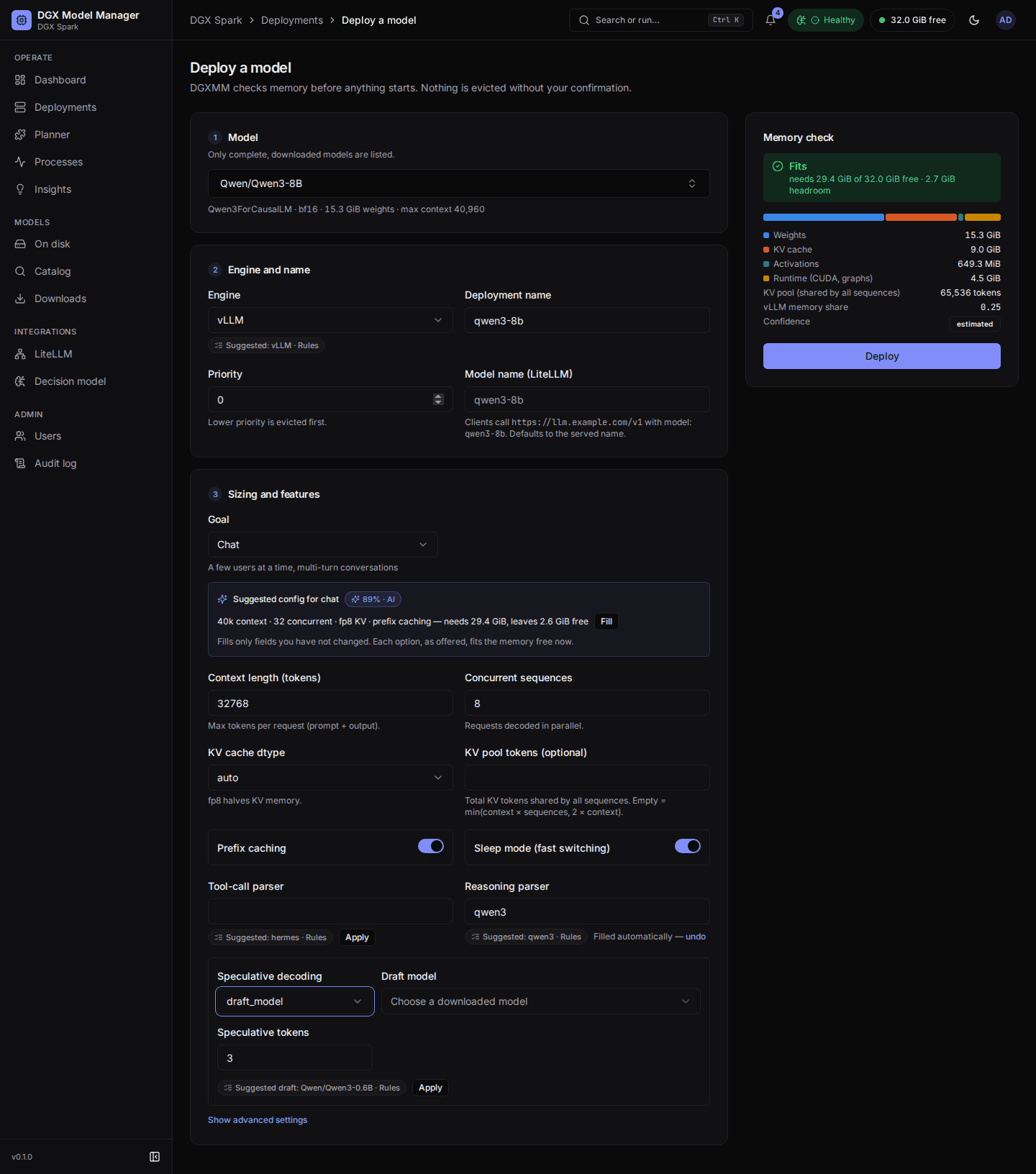
-
Model: pick a complete, downloaded model. Only models an engine can serve are listed. The line below shows the architecture, quantization, weight size and maximum context.
-
Engine and name: vLLM for safetensors, llama.cpp for GGUF. The deployment name becomes the container name
dgxmm-<name>(lowercase letters, digits and-). Priority (0–100) decides eviction order: lower priority is suggested for sleeping or stopping first. Model name (LiteLLM) is the name clients pass asmodelto the LiteLLM endpoint, such asdefault-chat. It defaults to the served name. A model name is 1 to 64 letters, digits and. _ : / -. Model names must be unique: if another deployment already uses the name, Deploy is refused with a link to that deployment and a one-click suggestion (<served name>-<deployment name>). Mode: On demand — start on the first request, sleep after N min idle or Always on. On demand is preselected when the LiteLLM integration is enabled and its last sync succeeded; otherwise always on, with the hint On demand needs LiteLLM (it starts models on requests that come through it). For on demand, Idle minutes before sleeping (1 to 1440) starts at the DGXMM default. See on-demand models. - Sizing and features: the Goal, then context length, concurrent sequences, KV cache dtype, the shared KV pool size, prefix caching, sleep mode, Speculative decoding and so on. Advanced options include tool-call and reasoning parsers, trust_remote_code, the served model name, and allowlisted extra flags. The suggestions in this step (suggested config, engine, parsers, draft model, code scan) are described in deploy-time advice.
The Memory check panel updates as you type. It shows the estimate split into weights, KV cache,
activations and runtime, the KV pool in tokens, the vLLM memory share it will be started with, and a
confidence label (low, estimated, calibrated from earlier runs of this model, or measured for
this exact configuration).
If it does not fit, the panel says by how much and lists Ways to make it fit:
- a smaller KV cache dtype (fp8 for vLLM, q8_0 for llama.cpp);
- a shorter context or fewer concurrent sequences;
- a smaller quantization of the same model that is already on disk;
- putting other deployments to sleep, or stopping them. Each deployment that could make room gets its own plan (for example Put chat-small to sleep or Stop embed; up to three sleep and four stop plans), plus the smallest combinations of two or three deployments when no single one frees enough. The least disruptive come first: deployments that are not busy, then lower priority, then the longest idle.
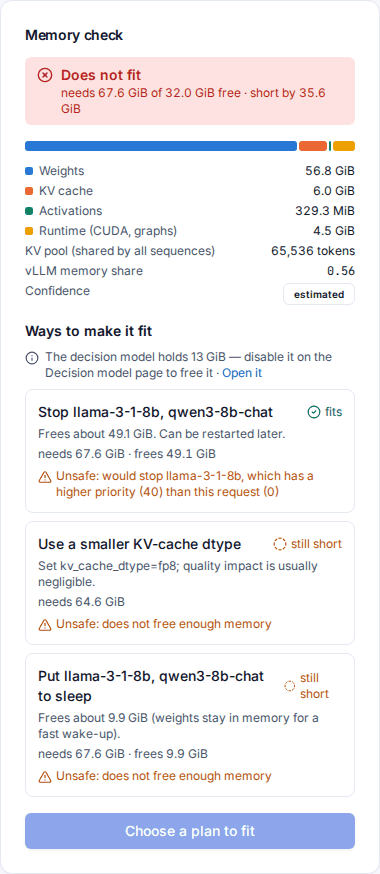
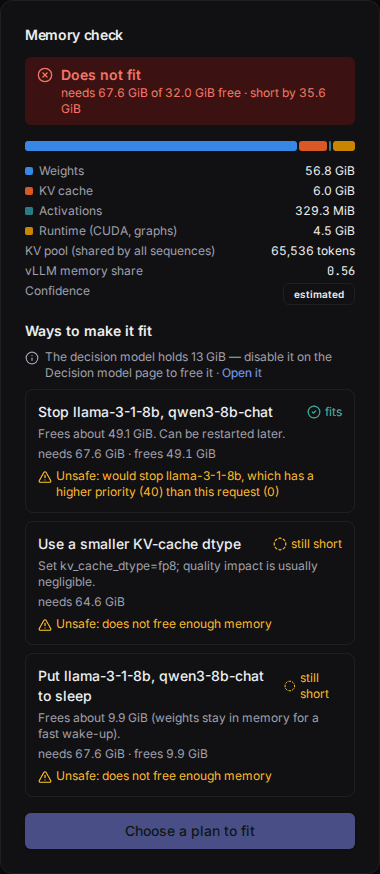
Each option shows what it would need and whether that is enough ("fits" or "still short"). Choosing a config change edits the form. Choosing sleep or stop arms those actions, and the button becomes Apply plan and deploy. Nothing is stopped until you press it. If memory changed in the meantime, DGXMM refuses, undoes any actions and shows fresh plans.
Before the plans are shown, a fixed set of safety rules checks each one. A plan is marked Unsafe: with the reason when it would stop or sleep a deployment that is starting or loading, serving requests or did so in the last 15 minutes, became ready less than 15 minutes ago, has no metrics for most of that time (its traffic is unknown), is used by another active deployment (for example as its draft model), has a higher priority than the one you are deploying, or is the decision model; and when it would lower a context length or sequence count you set yourself, or does not free enough. Unsafe plans can still be chosen; they are only marked. When exactly one plan is safe it gets a Recommended badge with a short reason; when several are safe, the decision model can pick one of them.
After Deploy you land on the deployment's page. It moves through Starting → Loading → Ready. An on-demand deployment starts right away too, and is put to sleep once it has been idle for its timeout. The first vLLM start of a model can take several minutes, because it compiles kernels (cached for later starts) and may pull the engine image.
Deploy-time advice
In the deploy wizard (admins), for the model you picked:
- Goal. Chat, Agents and tool use, Batch throughput or Long context. The default is agents when a tool-call parser is set, else chat. The suggestions below are made for this goal.
- Suggested config. DGXMM sizes candidate configurations with the memory
calculator (context length, concurrent sequences, KV cache dtype, prefix caching), keeps those that fit
the memory free now and offers at most eight with different trade-offs. When the decision model ranks
one first at or above the config threshold (80 %), the card says Suggested config for
with its confidence; otherwise it lists Configs that fit in the rules' order, top three first. Fill (or Use) sets only the fields you have not changed; if a value you typed makes the combination not fit, the card says so after the memory check. When nothing fits, it says no sizing of this model fits the memory free right now. - Engine chip under the engine selector, such as Suggested: vLLM · Rules. Rules decide when the model exists in one format only, when vLLM does not support its architecture, or when only one format fits; the decision model is asked only when both formats are on disk and both fit. Use switches the engine (and the model, when the other format is a separate download) and keeps the values you typed that the other engine also has.
- Speculative decoding (vLLM). Choose a method; draft_model, eagle, eagle3 and dflash need a draft model, which you pick from the downloaded models. Suggested draft: X names a compatible model on disk: the same vocabulary size and the same tokenizer file (or, when a tokenizer file is missing, the same family), smaller than the target, or a draft head built for it. It is applied only when you press Apply. When nothing qualifies, the field says so.
- Parser suggestions: see above.
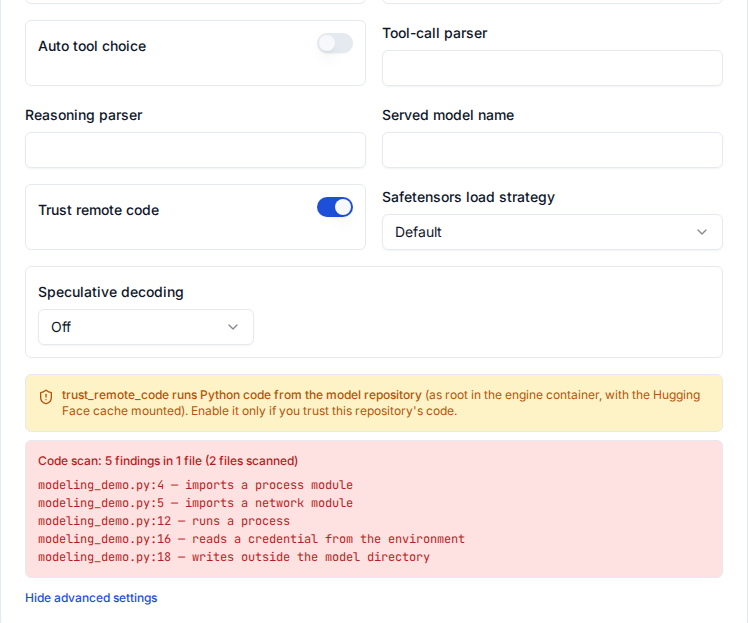
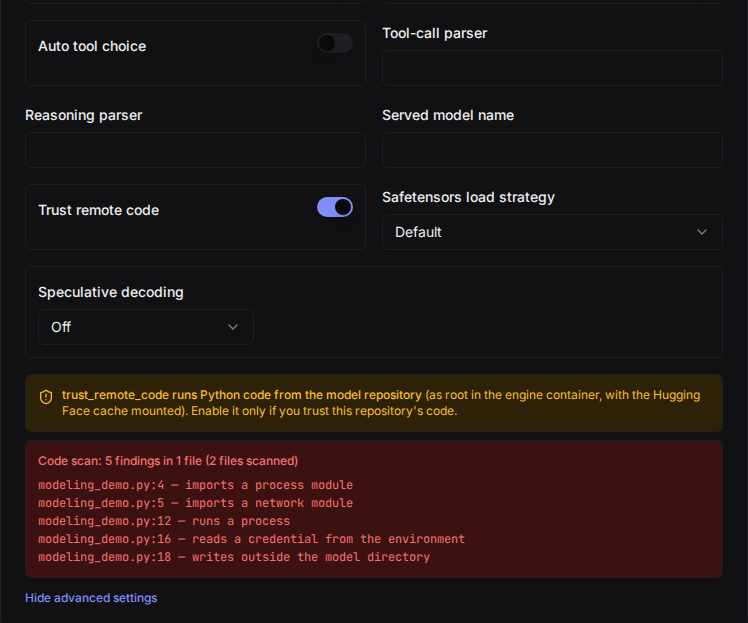
- Code scan. When trust_remote_code is on (advanced options, also in Reconfigure
and in a diagnosis fix) for a model whose repository has custom code (
auto_map), DGXMM scans the snapshot's Python files without running them and lists each finding with its file and line, for example imports a network module, runs a process, reads a credential from the environment, writes outside the model directory, under a summary such as Code scan: 3 findings in 2 files (14 files scanned). Findings only add warnings next to the generic trust_remote_code warning, which always stays; the decision model can add flags this code as unusual but never removes a finding or calls code safe. With no findings the panel says No suspicious patterns found (static scan only). If only part of the code could be scanned, or the scan could not run, it says so: then read the code yourself. Nothing blocks the deploy; you decide. The code scan always runs: switching Remote-code risk off on the Decision model page only stops the model from being asked about it.
- Compatibility. A wizard link for a model that is not downloaded
(
/deploy?model=org/name) shows a compatibility summary instead of the form.
Compatibility check (catalog details, and again next to the download button). Before you download, a
line per engine says whether it runs here: runs, runs with flags (and which: trust_remote_code, an
HF token), not supported with the reason (for example no GGUF files in this repo, or an architecture
the pinned vLLM image does not list), or unknown. It also reports gated repos and a missing chat
template. DGXMM reads only config.json, the tokenizer config and chat template, the generation config
and the first 8 KiB of the model card from the Hub, never the weights, and keeps the result for 7 days
per commit. Viewers can see it too; their checks never use the HF token, so a gated repo shows as gated.
The start-up queue
Only one engine starts at a time (max_concurrent_startups, see
configuration). vLLM measures free memory while it starts to size its KV
cache, and on unified memory another engine starting or stopping at the same moment can make that
measurement fail. A deployment you deploy or start while another one is starting waits in state
Queued: its memory is already reserved, the page shows its position and what it is waiting for, and
it starts when its turn comes, after a fresh memory check. It fails with a clear message if it no
longer fits, or after waiting 30 minutes (startup_queue_timeout_s). Stop on a queued deployment
cancels it. Stopping and sleeping are never delayed.
Planner
Planner answers "what can I run together?". For a context length per model, it lists the downloaded models with the memory their default configuration needs. It then lists the best combinations that fit the capacity: usable memory minus what external processes use, as if no deployment were running. Combinations with more models rank first, then those with more favourites, then those with more headroom. Tick Must include to only see combinations that contain a model. Admins can star favourites.